
Check out this Simon Says Game, created as a final project!
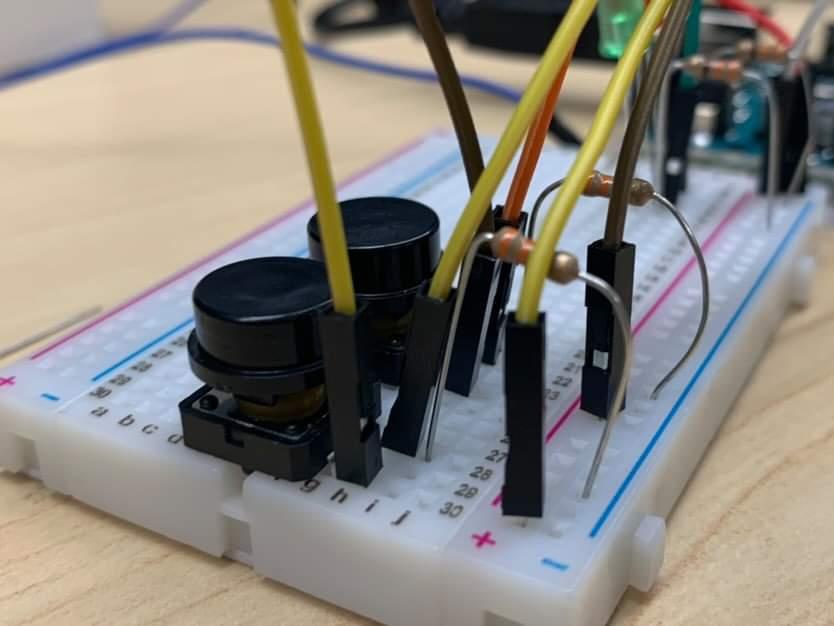
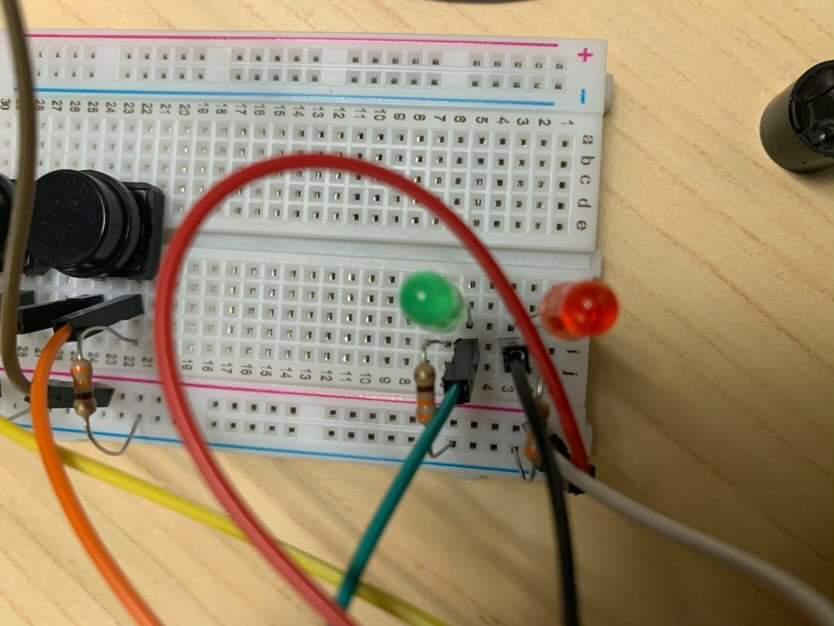
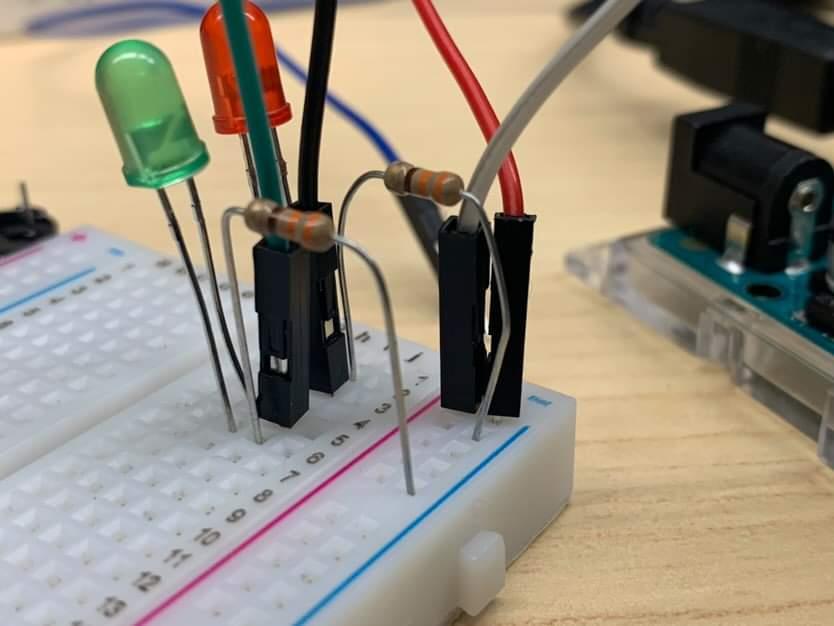
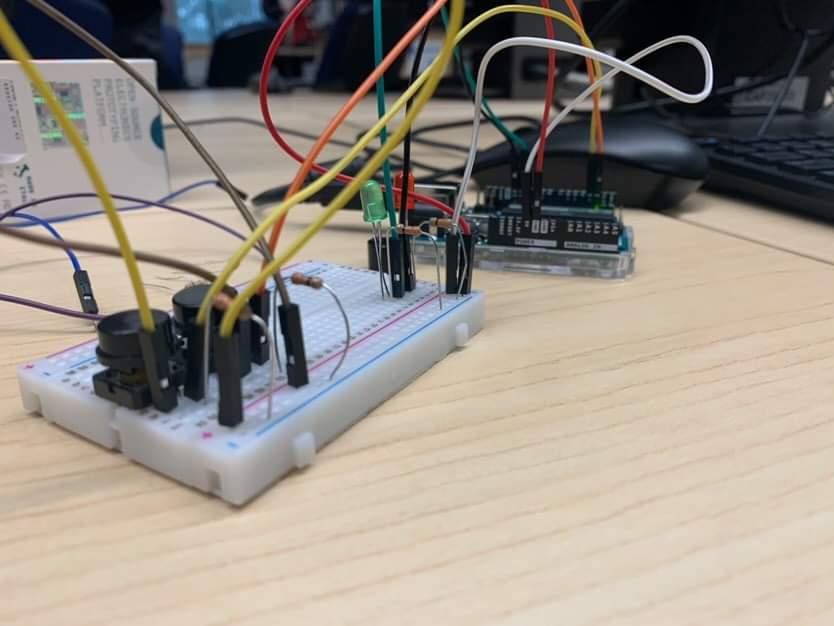
Check out the code I and my teammates wrote!
/*
 Simon Says Game

 The arduino displays a set of lights that the user has to copy. Multiple sounds are used to indicate the state of the game
 A sound is played at the start, a correct move, a move indicator sound, and a game is lost.

 Author: Vince Osorio, Sukh Singh, David Soberano

 Date Modified: 12/04/2022
 */

const int speaker = 2;
const int LED_PIN_R = 13;
const int LED_PIN_G = 12;
const int BUTTON_PIN_R = 9;
const int BUTTON_PIN_G = 8;
const int ledR = 1;
const int ledG = 2;

                                        // the setup routine runs once when you press reset:

#include "tunes.h"                      // A seperate library containing all the notes are used to create a more concise code

void setup(){
  pinMode(speaker, OUTPUT);       // initialize the speaker with a pin for output.
  pinMode(LED_PIN_R, OUTPUT);    // initialize the digital pin as an output for led.
  pinMode(LED_PIN_G, OUTPUT);    // initialize the digital pin as an output for led.
  pinMode(BUTTON_PIN_R, INPUT);  // initialize the digital pin as an input for the button.
  pinMode(BUTTON_PIN_G, INPUT);  // initialize the digital pin as an input for the button.
  Serial.begin(9600);           //intialize serial communication.
  randomSeed(analogRead(A0) );  //seeds the random number generator with different input each time.
}

void loop(){
  start_tune();
  int i = 0;
  int j = 0;
  int buttonStateR, buttonStateG, userInp;
  static int round ;                              //starting from zero, records the number of rounds.
  static int Pattern_Array[20];                 //static array for recoding the pattern to display.
  seedPattern(Pattern_Array, round);            //function call to seed the array with a new pattern in each iteration of void loop.

  while(Pattern_Array[i] != -1){                //while statement that turns leds on based on the pattern array until it reaches the sentinel value (-1).
    digitalWrite(LED_PIN_R, LOW);
    digitalWrite(LED_PIN_G, LOW);
    if(Pattern_Array[i] == ledR)                 //Turns the red led using the red light function if the array has value coressponding to it.
      Red_Light();
    if(Pattern_Array[i] == ledG)                 //Turns the red led using the red light function if the array has value coressponding to it.
      Green_Light();
      i++;
  }

    for(j = 0; j <= round; j++){
     userInp = getUserInp();                      // uses a function to get the button input from the user


     if(userInp != Pattern_Array[j]){            // if the user input is not right, the if-statement ends the game while playing a sound

        delay(500);
        end_round();
        exit(0);
      }

      correct_guess();                           // if the user input is right, a different tone is played sound

     /*Serial.print("iteration:");               //Error Checking
        Serial.println(j);
        delay(500);*/
     }
  round++;                                      //increments the round variable at the end of each round
  delay(500);                                 //delay of 3 seconds between each round.

}

/*
************************

*Turns the red light on*

************************ */

void Red_Light(){
  digitalWrite(LED_PIN_R, HIGH);  // turn the LED on (HIGH is the voltage level)
  delay(500);                    // wait for a second
  digitalWrite(LED_PIN_R, LOW);   // turn the LED off by making the voltage LOW
  delay(500);
}

/*
***************************

*Turns the green light on*

*************************** */

void Green_Light(){
  digitalWrite(LED_PIN_G, HIGH);
  delay(500);
  digitalWrite(LED_PIN_G, LOW);
  delay(500);
}

/*
*************************************

*Seed the array with random pattern.*

************************************* */

void seedPattern(int pattern[],int round){
  int i;
  int randomNumber;
  for(i = 0; i <= round; i++){                    //Seeds each index of array with a random ledpattern.
    randomNumber = random(1, 3);                  // generates a random integer between 1 and 2
    Serial.println(randomNumber);
    pattern[i] = randomNumber;                     //array is intialized with this pattern
  }

  pattern[round+1] = -1;                            //-1 is used as an null character to specify the end of array.
}

/*

*******************************************************************

*Get user input and return the ID of the button that was pressed*

******************************************************************* */


int getUserInp(){
   long int gameTime1 = millis();                       //time at start of the function is noted
   long int gameTime2;
   int buttonStateR, buttonStateG;
   //Serial.println("Check");
   Serial.println(gameTime1);

   while(buttonStateR == HIGH || buttonStateG == HIGH){            // a loop to make the program wait for the user unpress the button
     buttonStateR = digitalRead(BUTTON_PIN_R);
     buttonStateG = digitalRead(BUTTON_PIN_G);
   }

     buttonStateR = digitalRead(BUTTON_PIN_R);
     buttonStateG = digitalRead(BUTTON_PIN_G);

     while(buttonStateR == LOW && buttonStateG == LOW){       // loop designed to keep checking the button state until an input from the user is obtained

        input_indicator();

        buttonStateR = digitalRead(BUTTON_PIN_R);

        buttonStateG = digitalRead(BUTTON_PIN_G);

        gameTime2 = millis();                                 //game at this point in the function is noted, while being updated in each iteration of the loop until a user input is received


        if( gameTime2 - gameTime1  >= 3000){                 //the if-statement triggers when the loop has been going for more then 3 seconds and no input has been received

          return 0;                                          //zero is returned, indicating that no input was received

        }

     }

  if(buttonStateR == HIGH){                                  //turns the red light if the button corresponding to it is pressed
        Red_Light();
        return 1;                                             //the id for the red button is returned if it is pressed
  }


  if(buttonStateG == HIGH){                                 //turns the green light if the button corresponding to it is pressed
        Green_Light();
        return 2;                                               //the id for the green button is returned if it is pressed
     }

       Serial.println("Check2");
}


void start_tune(){          //Start of a round Tune

  tone(speaker,NOTE_A3);

  delay(150);

  tone(speaker,NOTE_D4);

  delay(150);

  tone(speaker, NOTE_A3);

  delay(150);

  tone(speaker, NOTE_A4);

  delay(150);

  noTone(speaker);

    }


void lose_tune(){         // Alternate End of a round tune

  tone(speaker,NOTE_GS3);

    delay(300);

    tone(speaker, NOTE_FS3);

    delay(300);

    tone(speaker, NOTE_E3);

    delay(300);

    tone(speaker, NOTE_CS3);

    delay(300);

    noTone(speaker);

    }

void correct_guess(){           //Correct Guess Tune

  tone(speaker, NOTE_C4);

    delay(100);

    noTone(speaker);

}

void input_indicator(){           //Input indicator Tune

  tone(speaker,NOTE_DS3);

  delay(100);

  tone(speaker,NOTE_C3);

  delay(100);

  noTone(speaker);

}


void end_round(){             //End game tune

  tone(speaker, NOTE_A3);

  delay(300);

  tone(speaker, NOTE_E5);

  delay(300);

  tone(speaker, NOTE_A5);

  delay(300);

  noTone(speaker);


}